root
├── contracts: Contains core contracts
│   ├── base: Base contracts of the protocol
│   ├── client: Client contracts for callers of the messaging system.
│   ├── events: Event types
│   ├── hubs: Hubs
│   ├── inbox: Inbox contracts
│   ├── interfaces: Interfaces
│   ├── libs: Library contracts
│   ├── Manager: Manager contracts
├── deployments: Non-devnet deployments of the contracts
├── lib: Git-module based dependencies
├── script: Scripts for deploying + interacting with contracts
├── test: Test contracts
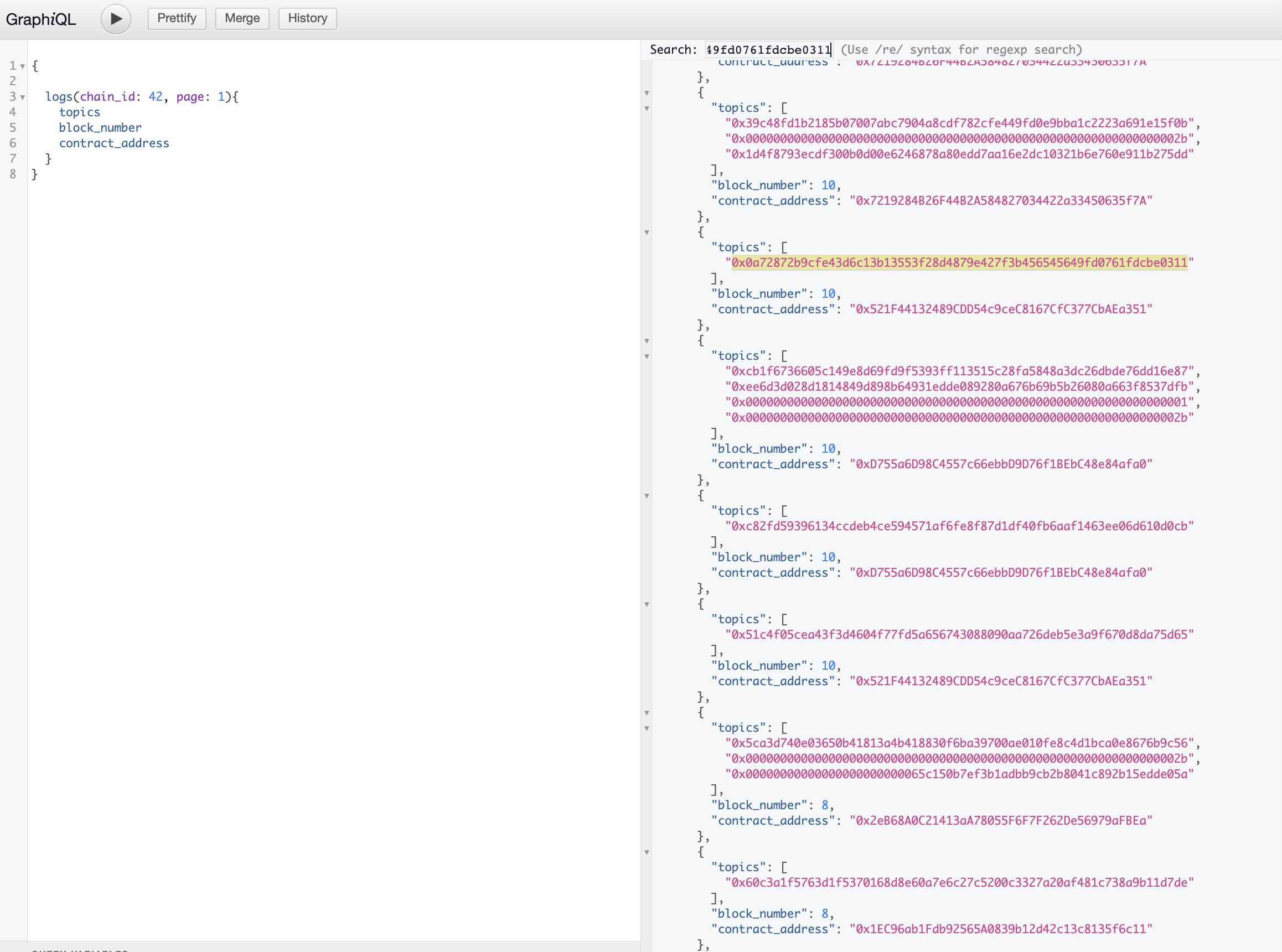
## Running a devnet To run a devnet, you can run `make devnet-up` and `make devnet-deploy` from this directory. This will start a local devnet and deploy the contracts to it. RPC endpoints for debugging etc will be availabe at `http://localhost:9001/rpc/[chain_id]`. By default, the [`PingPongClient.sol`](contracts/client/PingPongClient.sol) is deployed, so you can interact with it with cast. For instance, to send a ping from chain 42 to chain 44: ```bash cast send 0x521F44132489CDD54c9ceC8167CfC377CbAEa351 --rpc-url http://localhost:9001/rpc/42 --private-key 0x526db1890baf94e82162f17f25ad769eb7f981272d8d99c527ea1af443c2d0cc "doPing(uint32,address,uint16)" 44 0x521F44132489CDD54c9ceC8167CfC377CbAEa351 1 ``` Now, to make sure it work, you can pull up [scribe](../../services/scribe/) by going to http://localhost:9002/graphiql and [querying the logs](http://localhost:9002/graphiql?query=%7B%0A%20%20%0A%20%20logs(chain_id%3A%2044%2C%20page%3A%201)%7B%0A%20%20%20%20topics%0A%20%20%20%20receipt%0A%20%20%20%20block_number%0A%20%20%7D%0A%7D) for chain 44: ```graphql { logs(chain_id: 44, page: 1){ topics block_number contract_address } } ``` If everything went well, you will see topic `0x0a72872b9cfe43d6c13b13553f28d4879e427f3b456545649fd0761fdcbe0311` in the logs, which is the topic for the `PingPongClient`'s `Pong` event.